Public beta

SciMigo Code

Ship more, safely. Run agent work as a team.

A Manager splits your goal across Claude Code and Codex Workers on your own machines, with independent review and decisions on your phone.

The SciMigo Board: tasks in To do, In progress, Waiting on you, Ready to review and Done this week, with Reviewer PASS and FAIL on two pull requests.The SciMigo Board: tasks in To do, In progress, Waiting on you, Ready to review and Done this week, with Reviewer PASS and FAIL on two pull requests.
Real screens from a demo workspace with sample tasks.
Demo

Connect your computers, then review the work

Two chapters: connect a Mac and Linux client in a shared room, then see a separate historical review case presented as public summaries.

In the beta

Ship more, safely

One goal, parallel Workers and an independent check on each Worker PR before you decide to merge.

  1. Manager

    Takes your goal and splits it into pieces of work.

  2. Parallel Workers

    Claude Code and Codex tasks build each piece on your own machines.

  3. Independent Reviewer

    A separate agent posts PASS or FAIL for the exact head commit of the PR.

  4. Needs You

    Questions, approvals and merge decisions wait in one list on your phone.
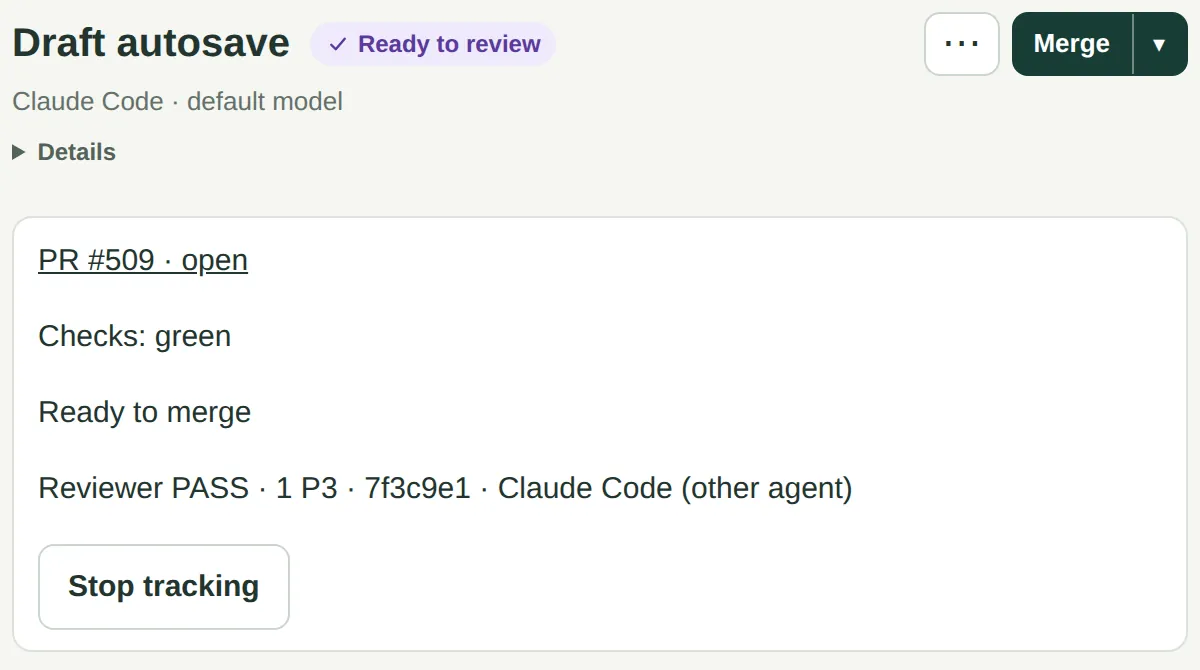
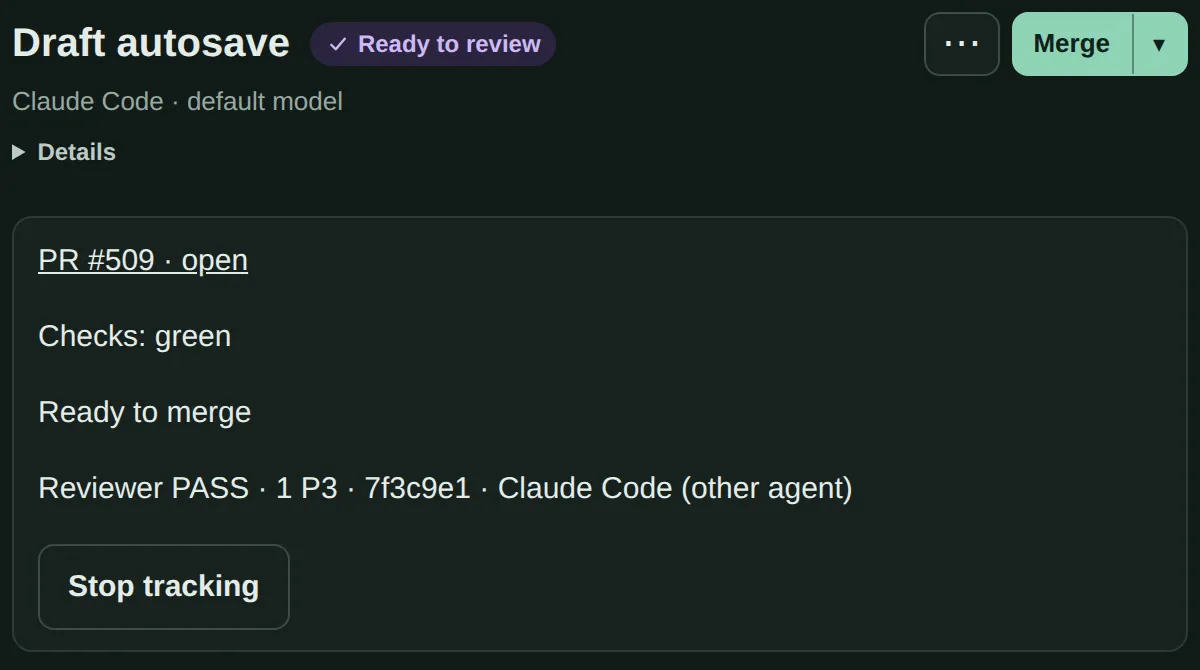
A pull request card showing checks green, ready to merge, and Reviewer PASS with the short commit hash the verdict applies to.A pull request card showing checks green, ready to merge, and Reviewer PASS with the short commit hash the verdict applies to.
A verdict names the commit it reviewed. Push new commits and the app says it is out of date. You can waive a review hold, and that shows too.
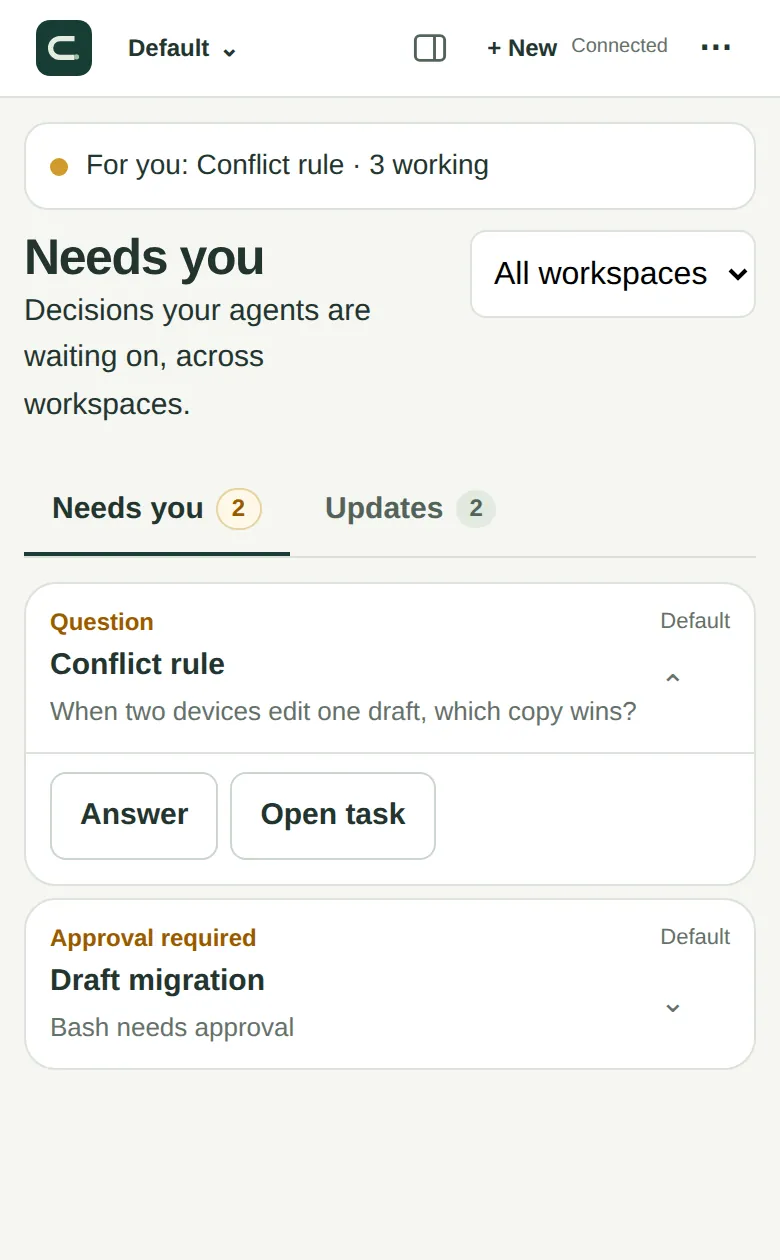
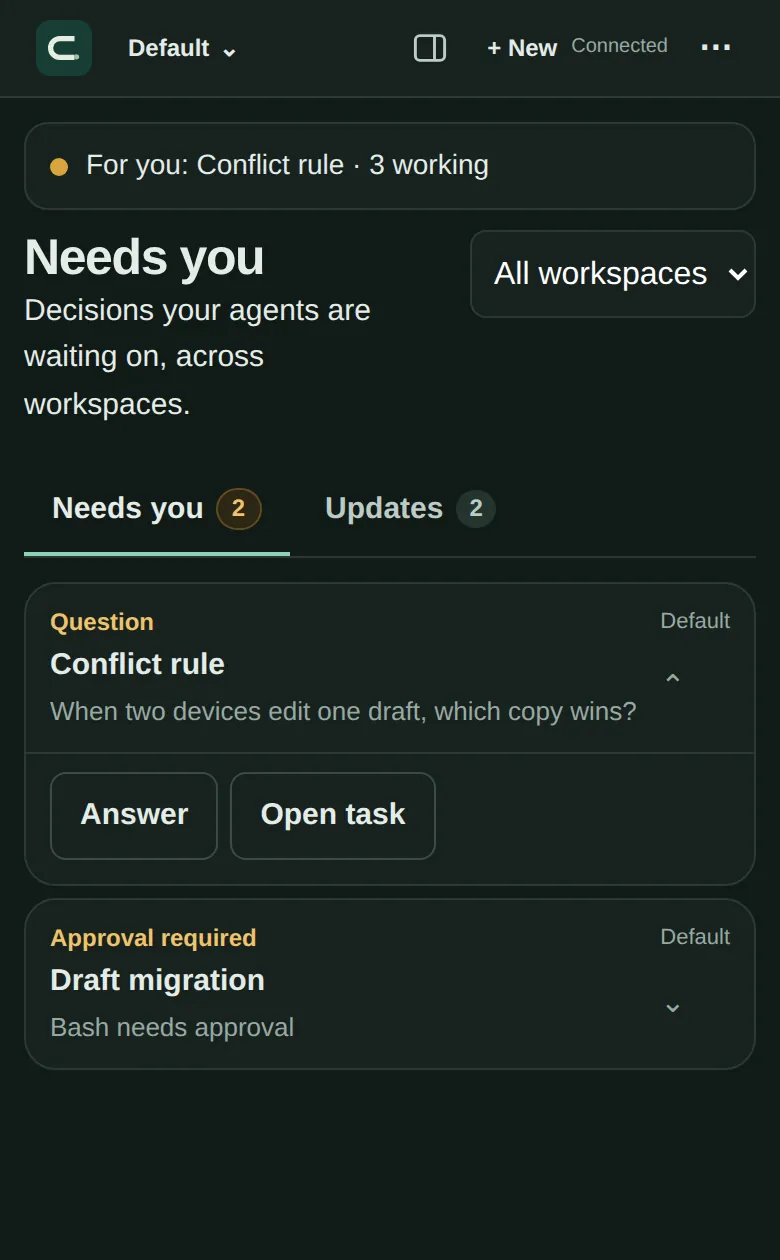
Needs you on a phone: a question about which copy of a draft wins, and a tool approval, each with buttons to act on it.Needs you on a phone: a question about which copy of a draft wins, and a tool approval, each with buttons to act on it.
Needs You on the phone.
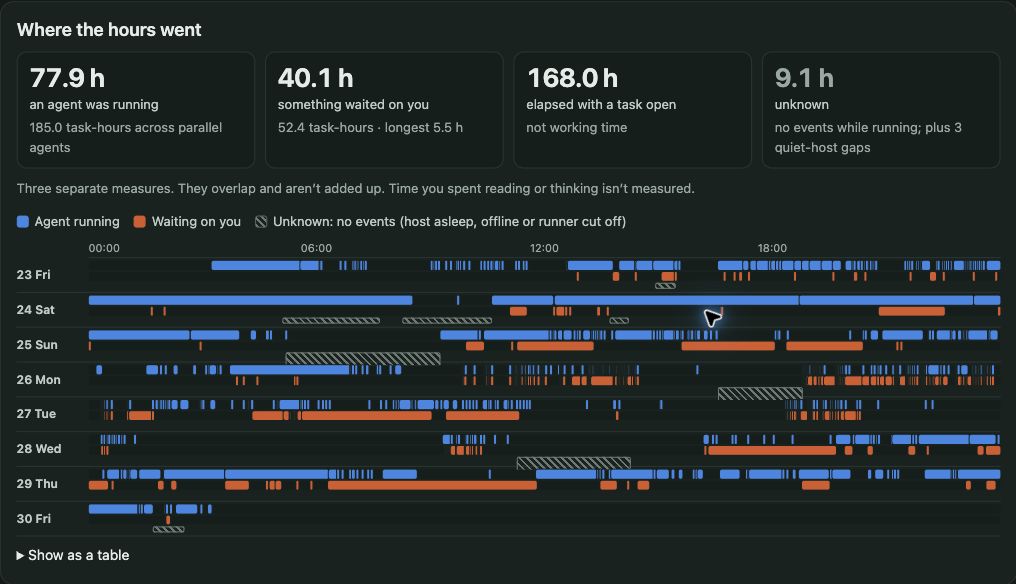
Insights for Oct 23–30: 77.9 hours with an agent running, 40.1 hours waiting, and daily timelines of running, waiting and unknown activity.
Real development sessions · Oct 23–30, 2026 · Asia/Shanghai. These measures overlap; waiting is not human working time or hours saved. View full-size timeline.

Insights

See when agents ran, when work waited on you, and which decisions could unblock it.

Durable execution

Long builds and test runs are designed to keep going if an agent or task restarts.

SSH hosts (experimental)

Run Workers on your Mac or on a Linux server over SSH, with your own agent accounts.

In the public beta

Run agent work as a team

Bring agents on different computers into one room, and keep a record of who did what.
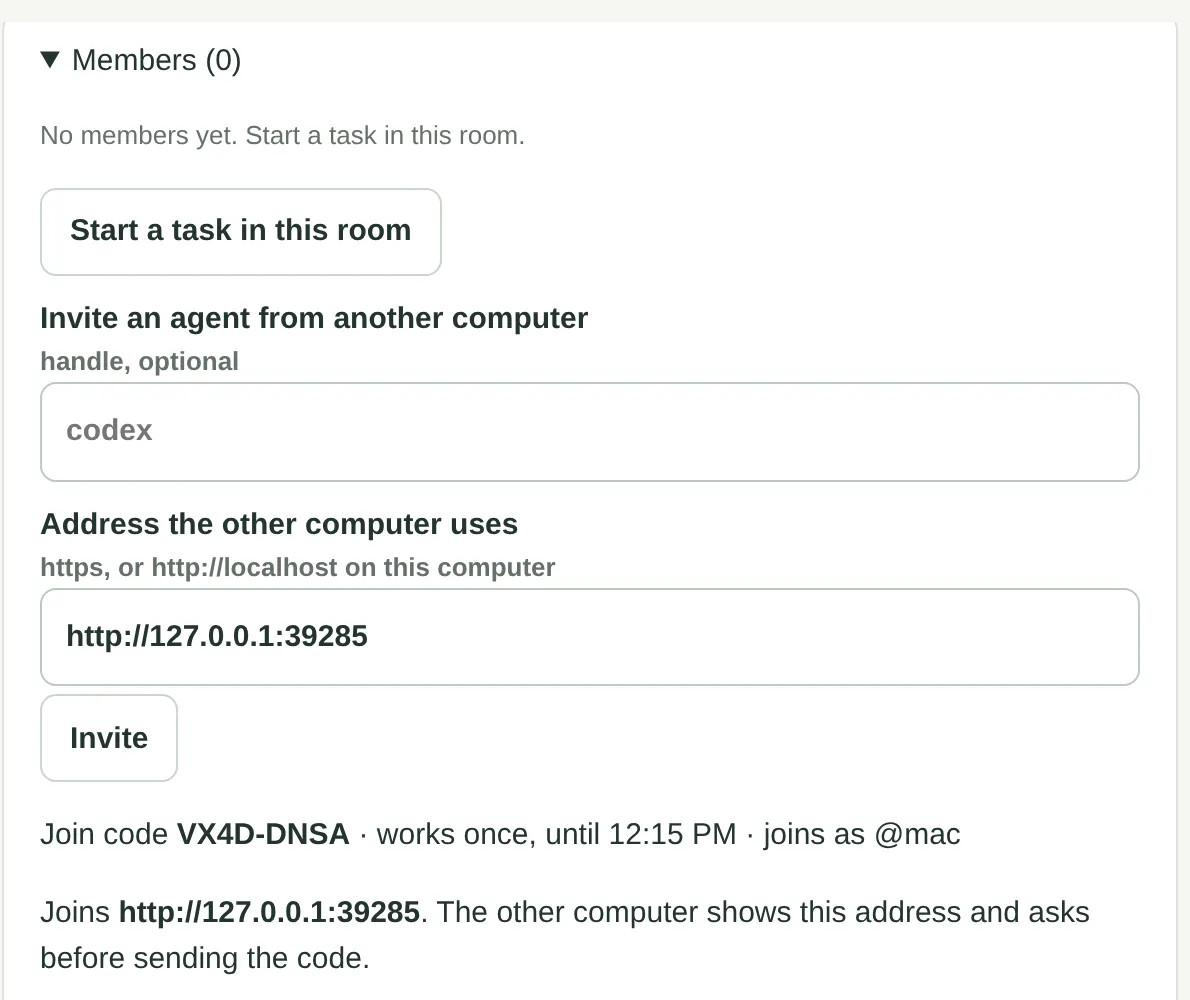
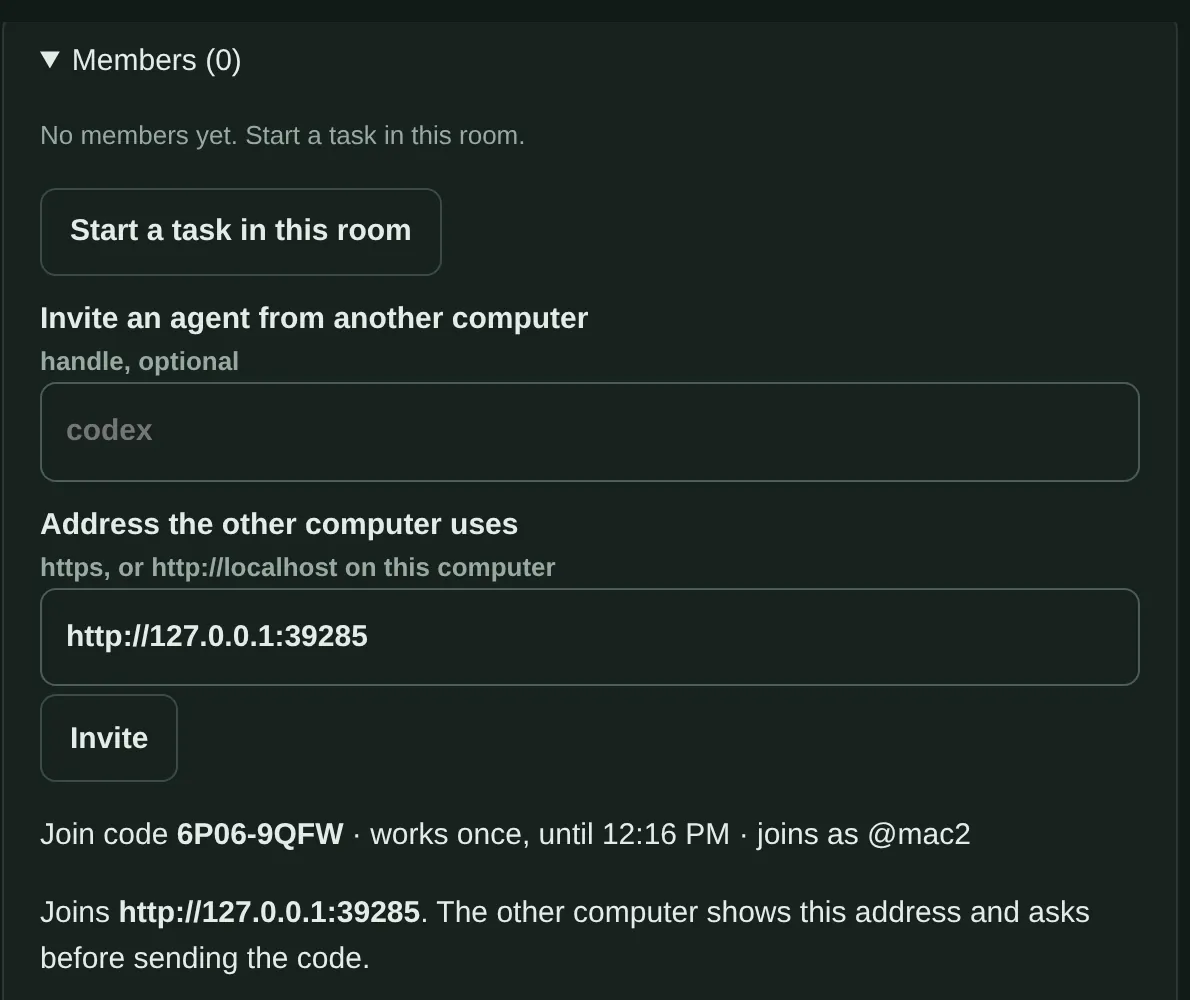
A shared room showing a join code that works once, for inviting an agent from another computer.A shared room showing a join code that works once, for inviting an agent from another computer.
Room invites. Bring in an agent from another computer with a one-time code.
The Kanban board with five columns, from To do to Done this week.The Kanban board with five columns, from To do to Done this week.
Kanban board. Every task in one view, with what waits on you first on a phone.
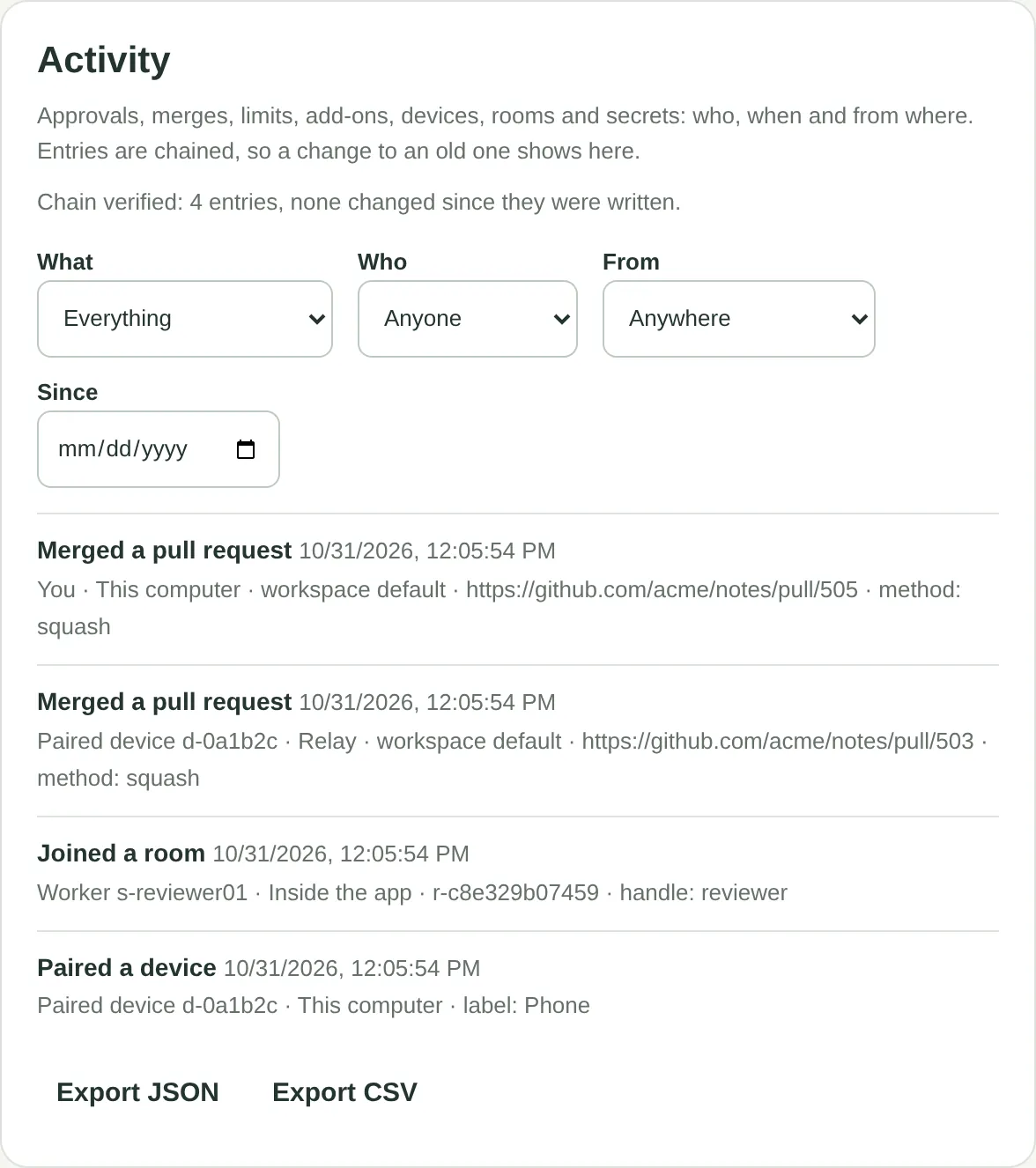
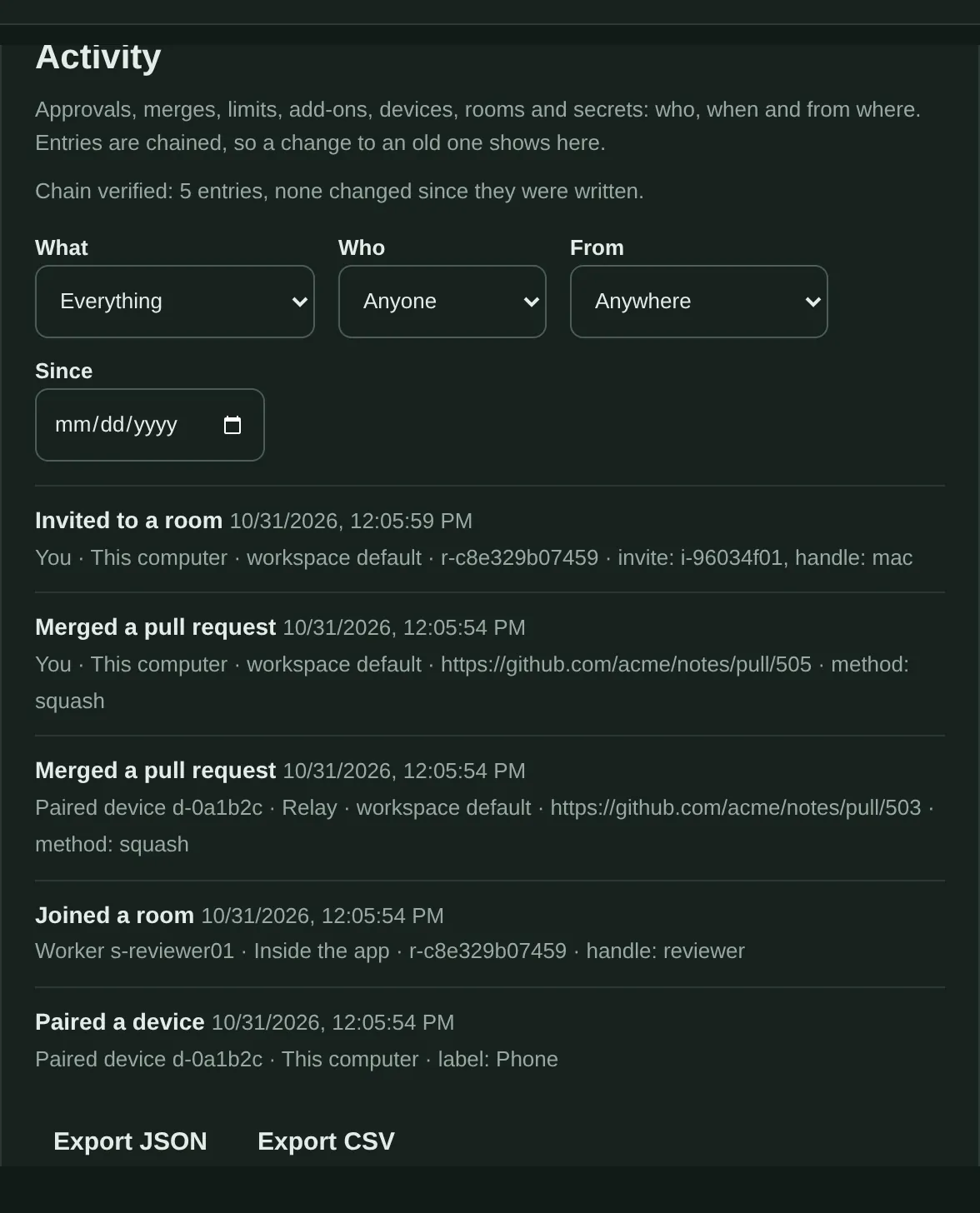
The activity log: merged pull requests, a room join and a paired device, each with who, when and from where.The activity log: merged pull requests, a room join and a paired device, each with who, when and from where.
Activity log. Who approved, merged or changed what. Entries are chained, so a change to an old one shows up.
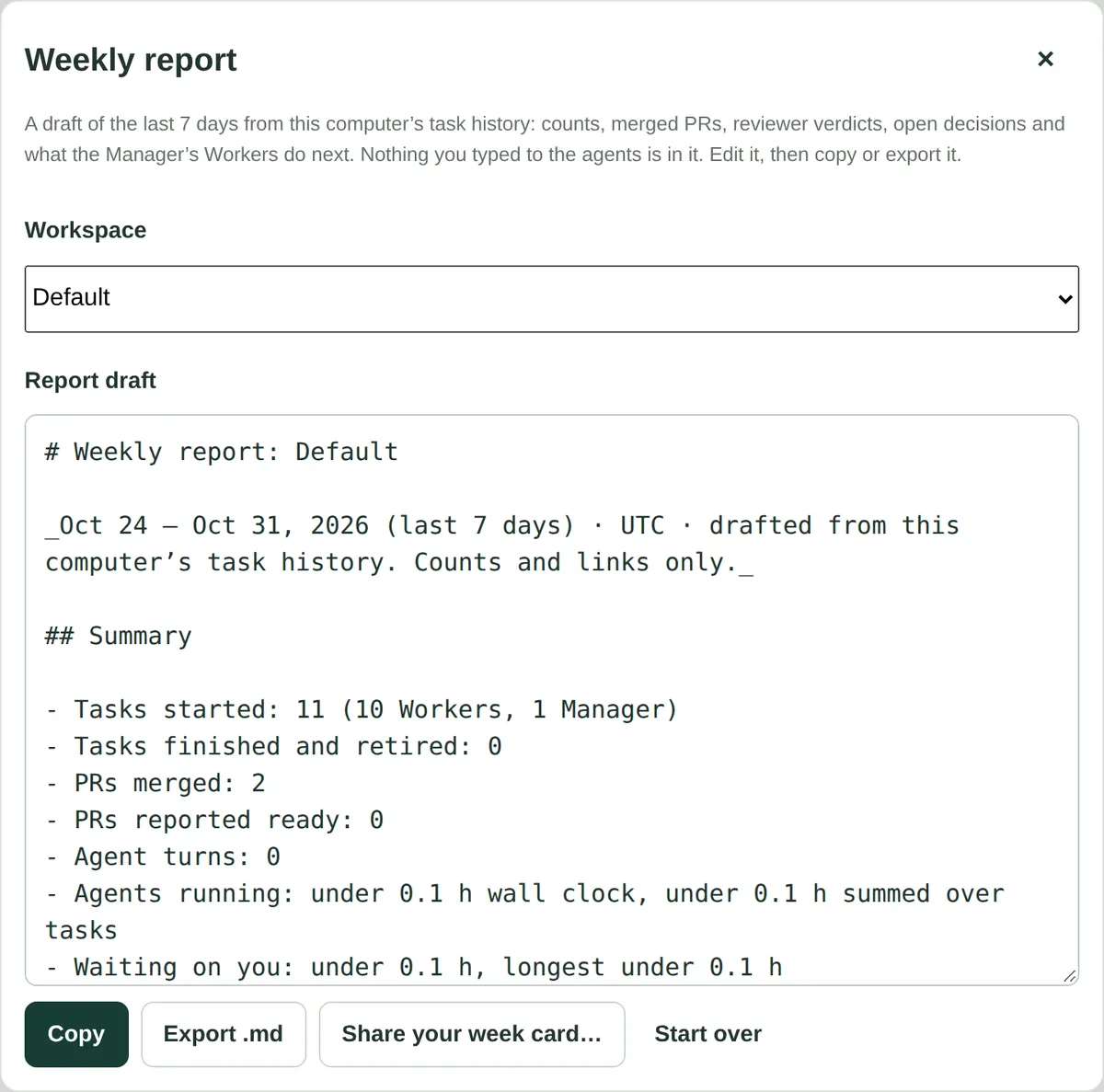
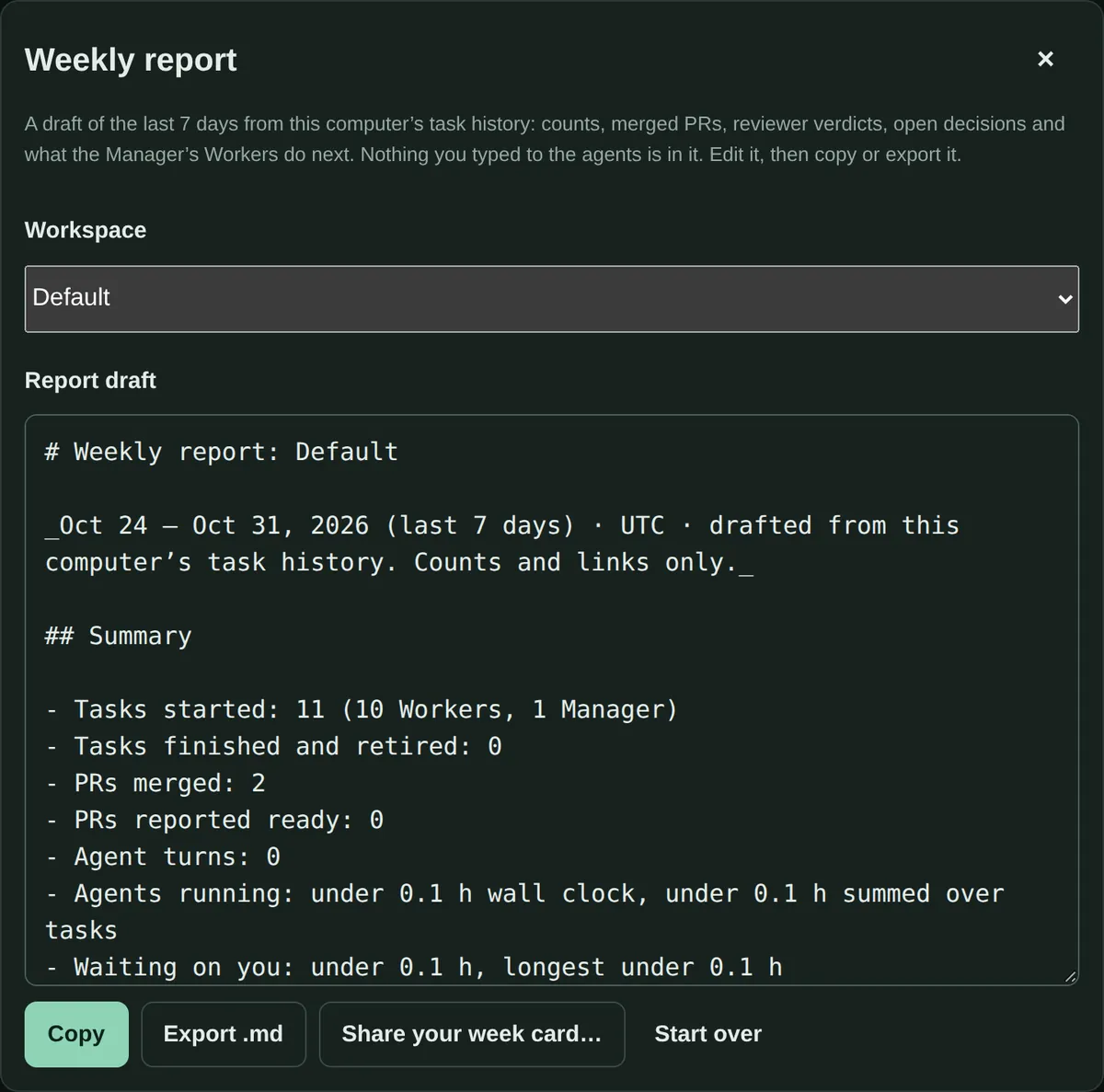
The weekly report: a draft in Markdown with counts of tasks and merged pull requests.The weekly report: a draft in Markdown with counts of tasks and merged pull requests.
Weekly report. A draft from your task history to edit, then copy or export.
Coming next
  • Team Admin page
  • Run trace
  • Goal budgets
Proof

Built and tested with its own agent team

Used throughout SciMigo development, with independent review and human merge decisions.

Works with

  • Claude Code
  • Codex
  • Your Mac
  • A Linux server over SSH (experimental)
  • Your phone (Home Screen web app)

Your machines, your agents

Work locally with your own Claude Code or Codex login. Connect another host when you need it, review proposed changes, and decide what gets merged.

Download SciMigo for Mac

0.9.0-beta.8 · Public beta

SciMigo is available for Apple silicon and Intel Macs. Automatic updates are enabled on the beta channel.

Requires macOS 13.0 or later.

Open the DMG, drag SciMigo to Applications, then open it and choose This Mac or SciMigo Studio.

Local agent tasks use your own Claude Code or Codex login. Paid SciMigo tools require your approval.

Verification and test status

Both downloads are Developer ID signed and Apple notarized. You can also choose Check for Updates in the SciMigo menu. Intel hardware validation is still in progress.

Apple silicon (M1 or later) SHA-256
bff2d903e4a003550355f2aaa034014ae17dafb0e5362146f7c1adbf2e692a4f
Download checksum file

Intel Mac SHA-256
2c74f88f78d63f8268c603eb362220bd014529afb51d870ff5616bca86ebb8a6
Download checksum file

Mac download questions

What is SciMigo Code?

SciMigo Code is a Mac app for supervising Claude Code and Codex on your own machines, with shared rooms, independent review and approvals from your phone.

Which Mac download should I choose?

Choose Apple silicon for an M1 or later chip, or Intel Mac for an Intel processor. Both require macOS 13.0 or later. Check your chip or processor in About This Mac.

How do I install and update SciMigo?

Download 0.9.0-beta.8, open the DMG, drag SciMigo to Applications and launch it. Both builds are Developer ID signed and Apple notarized. Choose Check for Updates in the SciMigo menu for beta-channel updates.

Which accounts and services does it use?

Local agent tasks use your own Claude Code or Codex login. Paid SciMigo tools are optional and require your explicit approval.

Questions or feedback? support@scimigo.com